Businesses rarely reach a point where someone suddenly announces, “Our IT no longer works for us.”
More often, the signs appear gradually.
Computers take a little longer to start. Employees find workarounds for slow processes. Technology problems happen more frequently. Security requirements become harder to manage. A software purchase solves one issue but creates another. Equipment gets replaced only when something finally fails.
Individually, those problems may not seem significant.
Together, they can be a sign that the technology environment that once worked well for the business is no longer keeping up with what the organization needs today.
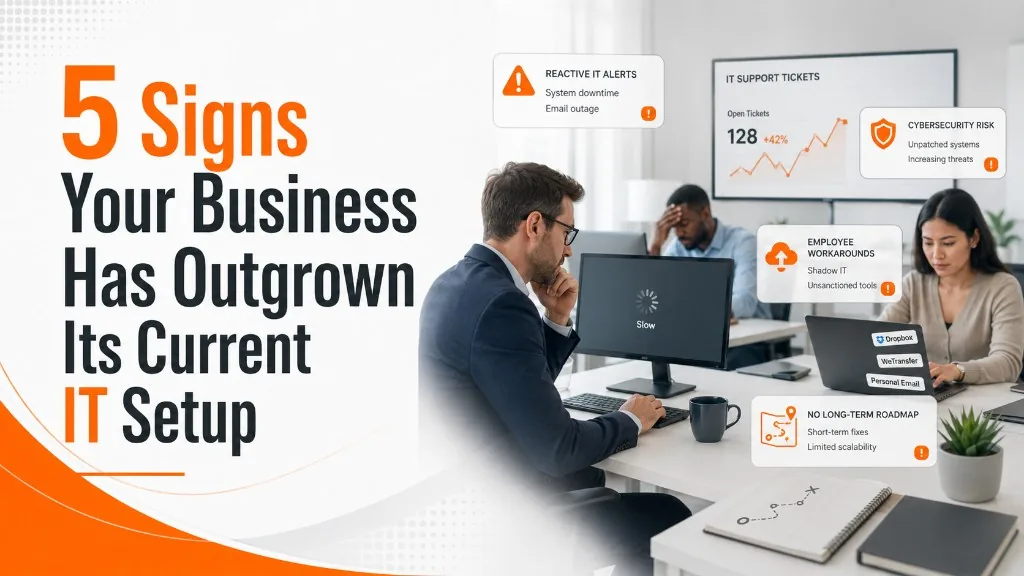
A business has generally outgrown its IT setup when technology begins creating recurring friction, risk, or unexpected costs instead of supporting day-to-day work and future growth.
Here are five common signs to watch for.
1. Technology Has Become a Bottleneck
Technology should help employees do their jobs efficiently.
When it regularly gets in the way, something may need to change.
Employees may experience slow applications, unreliable network connections, computers that struggle with current software, or systems that become noticeably slower during busy periods. Tasks that should take a few minutes begin taking longer because staff are waiting on technology.
A single slow computer does not mean the entire IT environment needs to be replaced.
The bigger concern is the pattern.
If several employees are experiencing recurring performance problems, or if systems regularly struggle as more users and applications are added, the environment may have been designed for a smaller or less complex organization.
This can create a hidden productivity cost.
Consider an employee who loses only 10 minutes each day waiting on slow systems or dealing with minor technology problems. That may not sound significant in isolation. Multiply it across several employees over weeks and months, however, and small delays can add up quickly.
The answer is not necessarily to buy the newest equipment available.
It is to identify where the actual bottlenecks are and determine whether a targeted upgrade, configuration change, network improvement, hardware replacement, or broader infrastructure plan makes the most sense.
2. IT Has Become Mostly Reactive
Every business will experience occasional technology problems.
The warning sign is when IT becomes almost entirely about responding to whatever broke most recently.
A printer stops connecting. An application crashes. A computer runs out of space. A network issue interrupts work. Something gets patched temporarily, everyone moves on, and the next issue appears.
Over time, the IT environment can become a collection of short-term fixes rather than a system that is intentionally managed.
Repeated problems are especially important.
If employees keep reporting the same issue, there may be an underlying cause that has never been addressed. Repeated troubleshooting can sometimes cost more in lost productivity and support time than solving the underlying problem properly.
A more mature IT approach includes both support and prevention.
That may involve proactive monitoring, regular maintenance, patching, equipment lifecycle planning, backup verification, security reviews, and identifying recurring problems before they become larger disruptions.
Good IT support still needs to respond quickly when something goes wrong.
But if nearly all IT attention is spent reacting to problems, there may be little time left for improving the environment.
3. Security Needs Have Outgrown the Environment
Growth often changes a company's cybersecurity exposure.
A business with 10 employees, one location, and a handful of applications has a very different technology environment from the same company several years later with 30 employees, multiple locations, cloud applications, remote access, additional vendors, and more sensitive information moving between systems.
Every new employee, application, device, and vendor relationship adds something that needs to be managed.
That does not automatically mean the business is insecure.
It does mean the security approach that was appropriate several years ago may no longer provide the same level of visibility or control.
For example, a growing business may need to take a closer look at:
- Multifactor authentication
- Employee access levels
- Endpoint protection
- Backup and disaster recovery
- Software patching
- Employee cybersecurity awareness
- Secure remote access
- Vendor access
- Vulnerability management
- Incident response planning
Security also becomes harder to manage when systems have been added gradually without a consistent plan.
A company may have strong protection in one area while another system, application, or user account has quietly been overlooked.
As a business becomes more complex, cybersecurity increasingly needs to be managed as a coordinated program rather than a collection of individual tools.
4. Employees Are Creating Their Own Workarounds
Employees are often surprisingly good at finding ways around technology that does not work for them.
That can be helpful in the moment.
It can also be a warning sign.
An employee might use a personal file-sharing account because the company system is inconvenient. A department may subscribe to a cloud application without involving IT. Someone may maintain a spreadsheet manually because two business systems do not communicate well.
These workarounds are often created for perfectly reasonable reasons: employees are trying to get their jobs done.
But when they become common, they can create larger problems.
Unapproved applications and services are sometimes referred to as shadow IT. They can make it harder for the business to know where company information is stored, who has access to it, whether it is being backed up, and whether appropriate security controls are in place.
Workarounds can also create operational inefficiency.
If employees repeatedly have to move information between systems manually, enter the same data in multiple places, or invent unofficial processes to compensate for technology limitations, the problem may no longer be the employee's workflow.
The technology itself may need to be reconsidered.
One of the most useful questions leadership can ask is:
Where are employees regularly working around our systems instead of using them as intended?
The answer can reveal technology problems that may otherwise remain invisible.
5. There Is No Long-Term Technology Plan
This may be the most important sign of all.
When a business is small, technology decisions can sometimes be made as they come up.
A computer needs replacing, so a new one is purchased.
A department needs software, so a subscription is added.
A server has a problem, so a repair is scheduled.
That approach becomes harder to sustain as the environment grows.
Technology decisions are increasingly interconnected.
A software change may affect hardware requirements. A new location may require network upgrades, additional security controls, phone-system changes, and new equipment. A server replacement may raise questions about whether the business should continue hosting an application locally or move it to the cloud.
Without a roadmap, these decisions can happen independently.
That often creates surprise expenses and short-term decisions that make future projects more difficult.
A basic technology roadmap does not have to be complicated.
It should help leadership understand:
- Which hardware is approaching replacement
- What major software changes may be coming
- Which security improvements should take priority
- What projects are expected over the next 12 to 36 months
- What those projects may cost
- How technology needs may change as the company grows
The goal is not to predict every technology expense perfectly.
It is to reduce the number of major decisions that happen unexpectedly.
Does Outgrowing Your IT Mean You Need to Replace Everything?
No.
In fact, replacing everything at once is rarely the most practical response.
A business may have some systems that are working well and others that are creating problems. The network may be fine while several computers are overdue for replacement. Hardware may still be adequate while poor configuration is creating performance issues. A software platform may not need replacing at all, but employees may need a better process for using it.
That is why an assessment is usually more useful than making assumptions.
The first step should be understanding what is actually creating friction or risk.
From there, improvements can be prioritized according to business impact, urgency, cost, and available budget.
Some changes may need to happen immediately.
Others can be planned for the next budget cycle or incorporated into a longer-term roadmap.
A good IT strategy is not about replacing technology simply because something newer exists.
It is about making deliberate decisions about what the business actually needs.
Business Size Does Not Tell the Whole Story
There is no specific employee count or revenue number that determines when a company has outgrown its technology environment.
Complexity often matters more than size.
A 30-person company operating from several locations, using dozens of cloud applications and managing sensitive customer information may have significantly more complicated technology needs than a much larger organization operating from one office with relatively simple systems.
Growth also does not always mean adding employees.
A business might add locations, launch new services, implement new software, allow remote work, acquire another company, or take on customers with more demanding security requirements.
Any of those changes can place new demands on an existing IT environment.
The better question is not:
“How big are we?”
It is:
“Can our current technology reliably support where the business is going next?”
What Should a Business Do Next?
If several of these warning signs sound familiar, the answer does not have to be a major technology overhaul.
Start by looking at the environment as a whole.
Identify recurring problems. Review the age and condition of important equipment. Look at security controls. Ask employees where technology slows them down. Review major applications and vendors. Determine which technology expenses are likely to appear during the next few years.
Then turn those findings into priorities.
The goal should be to separate what is urgent from what is merely inconvenient, what should be improved soon, and what can reasonably wait.
Businesses tend to get into trouble when technology decisions are postponed until something fails or becomes an emergency.
Planning creates options.
Technology Should Support Growth, Not Complicate It
Outgrowing an IT environment does not mean a business has done something wrong.
Often, it means the company has changed while its technology has not changed at the same pace.
The systems that worked well several years ago may simply no longer match how employees work, how the business operates, or where the organization is headed.
The important thing is recognizing that transition before recurring frustrations turn into larger problems.
When technology becomes a bottleneck, support becomes increasingly reactive, security grows more difficult to manage, employees start creating workarounds, or nobody can explain the technology plan for the next few years, it may be time to look at the environment differently.
Good IT should do more than keep the business running today.
It should be capable of supporting where the business wants to go next.
At Superior Technical Solutions, we help businesses look at the environment as a whole—identifying bottlenecks, reducing reactive firefighting, and building a practical plan for what comes next.
If several of these signs sound familiar, schedule a conversation with STS to talk through your current setup and what the next 12 to 36 months should look like.